


PlayHaus APEX | Premium 5″ Retro Handheld Console with 20,000+ Games & TV play
PlayHaus APEX | Premium 5″ Retro Handheld Console with 20,000+ Games & TV play
5" fully laminated IPS screen
Up to 5 to 7 hours of battery life
Play handheld or on your TV
Couldn't load pickup availability

PlayHaus APEX | Premium 5″ Retro Handheld Console with 20,000+ Games & TV play
Description
Description
PlayHaus APEX | 5" Retro Handheld Game Console (Model SF3500)
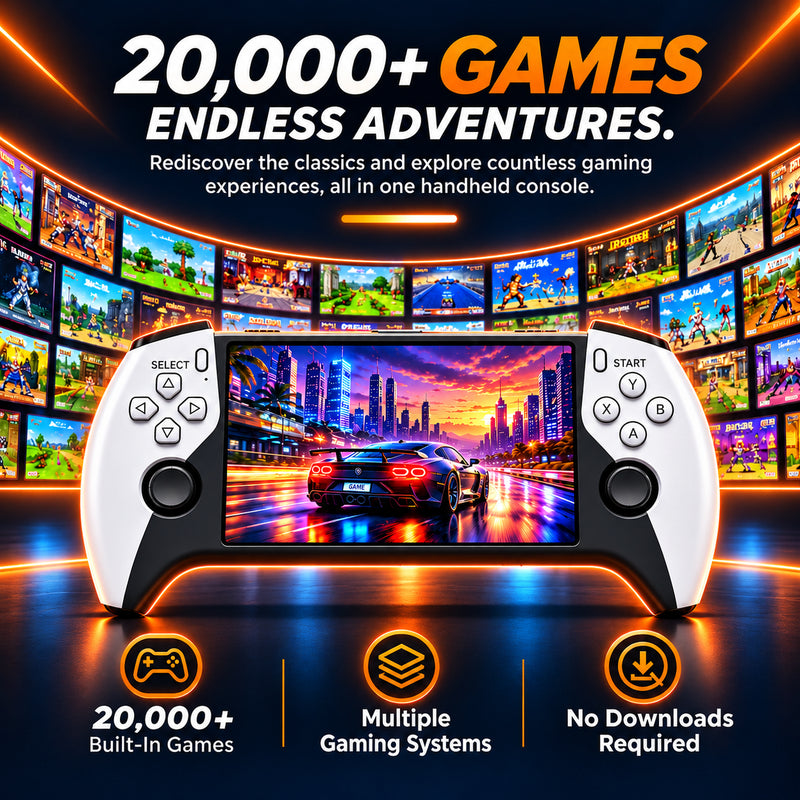
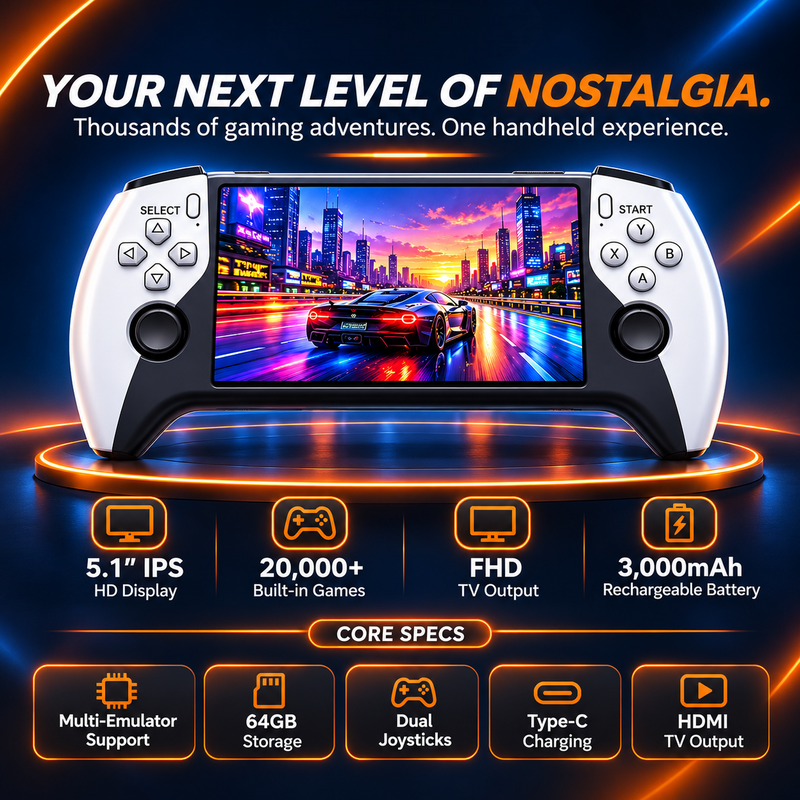
A portable retro console with a 5-inch IPS screen, full-size controls, a 3000mAh battery and TV output. It plays classic games from a memory card, and it also handles music, video, photos and e-books.
Display
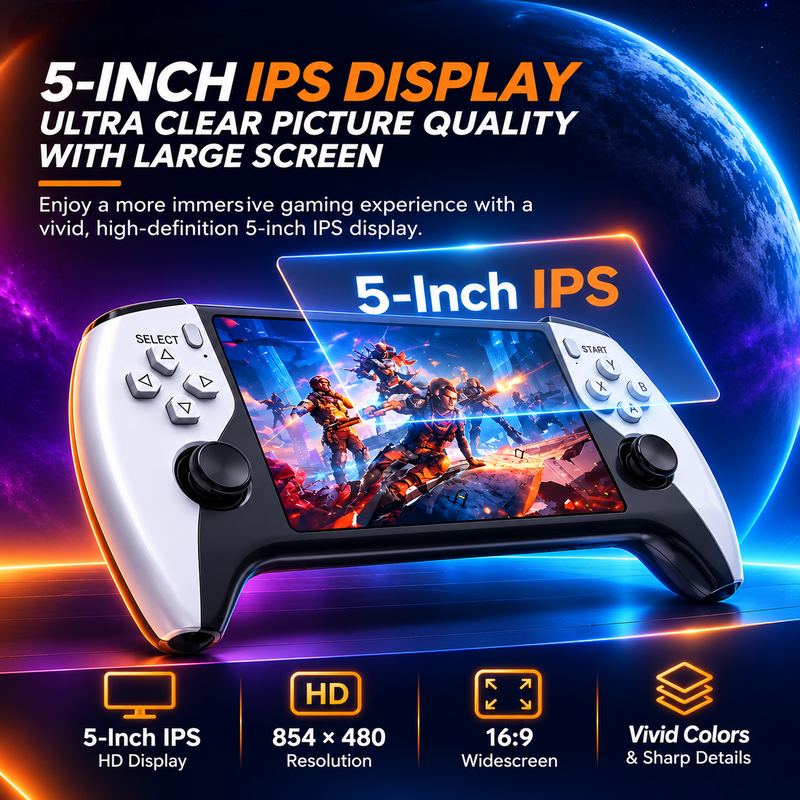
- 5-inch IPS screen, 854 x 480 resolution
- Full lamination with tempered glass
- Full-screen and original-resolution display modes
Performance
- Dual-core 1.2GHz processor
- 2GB DDR3 memory
- Menu with settings for sound, brightness, language, full screen, button mapping and factory reset
Supported systems
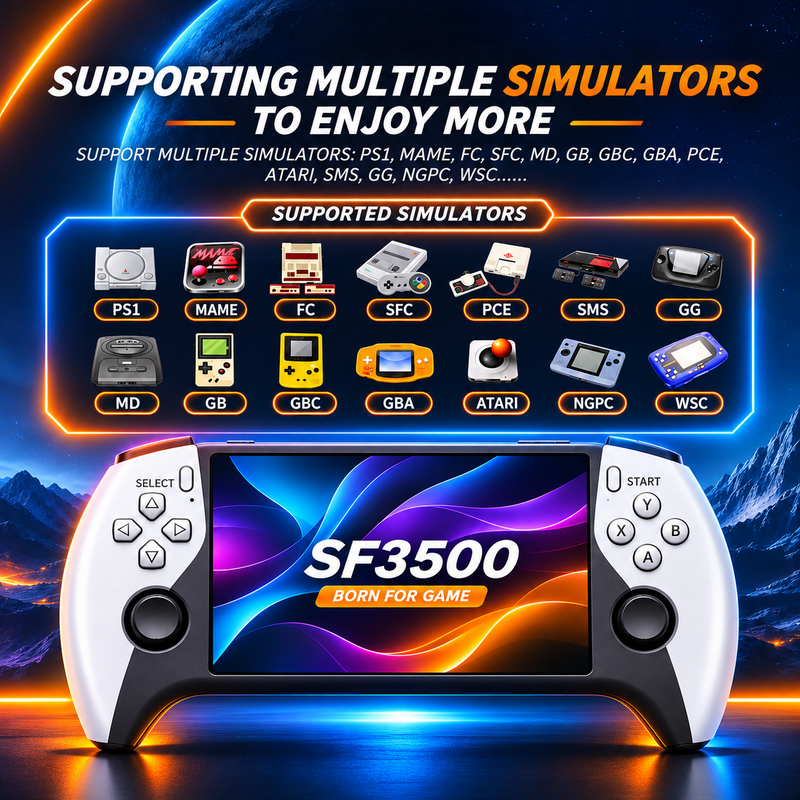
PS1, MAME (arcade), FC, SFC, MD, GB, GBC, GBA, PCE, Atari, SMS, GG, NGPC, WSC
Games and storage
- Comes with games preloaded on a memory card
- TF card slot for adding your own games
Controls
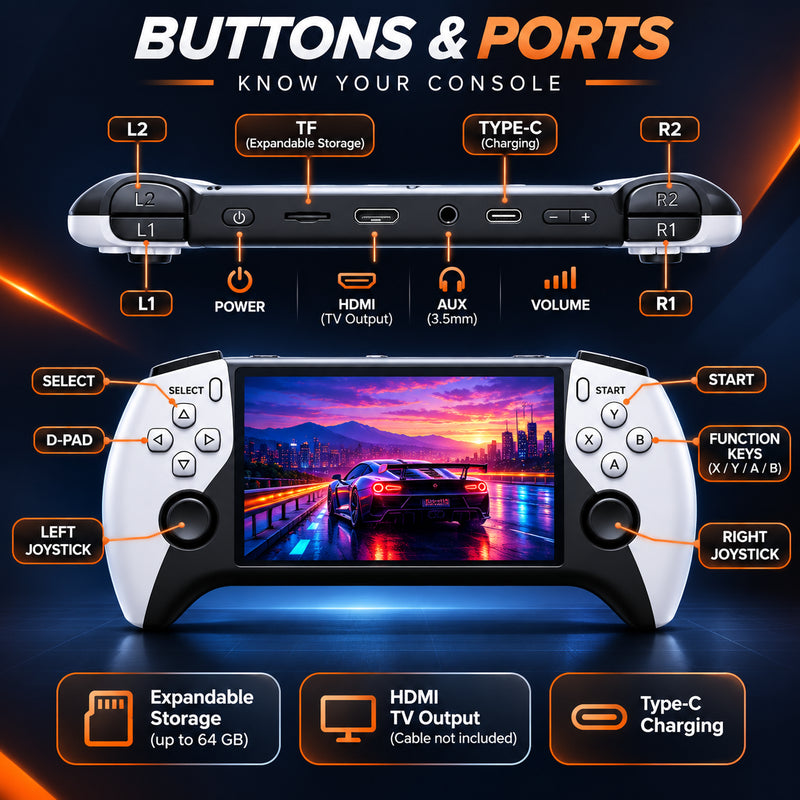
- Dual joysticks
- D-pad
- A / B / X / Y buttons
- Start and Select
- L1, L2, R1, R2 shoulder buttons
- Button mapping
- Supports connecting an external controller (not included)
TV output
- FHD output port
- Handheld, TV and desktop play modes
- TV cable not included
Battery and charging
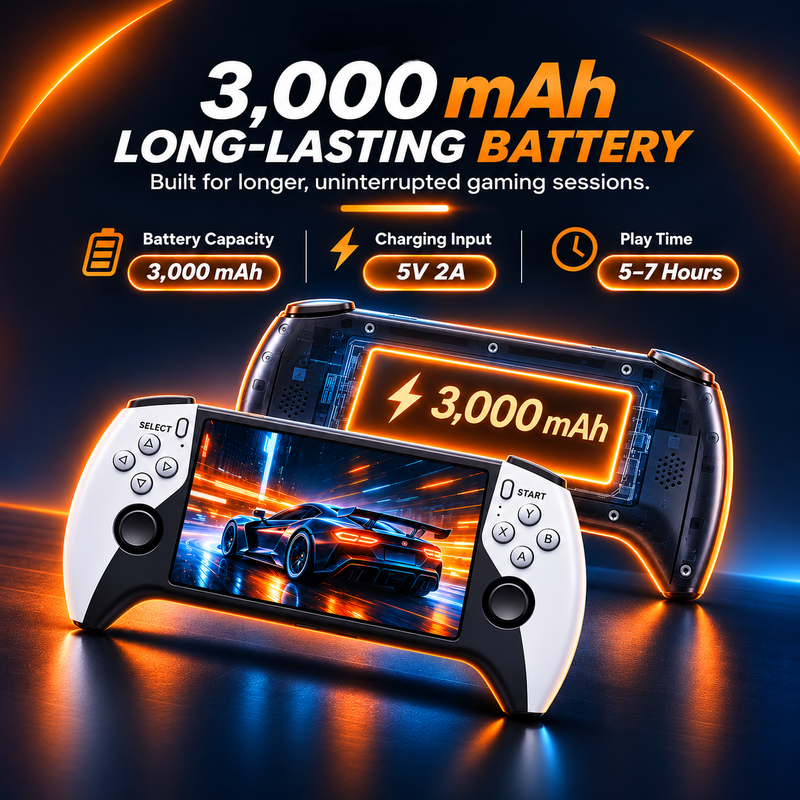
- Built-in 3000mAh lithium-ion battery
- 5 to 7 hours of play
- USB-C charging
- Can charge a phone from the console battery
Media and extras
- Music: MP3 and other audio formats
- Video: MP4 playback
- Photos: jpg, png and bmp
- E-book reader
- USB OTG support
- 3.5mm audio jack and volume control
Specifications
- Model: SF3500
- Screen: 5" IPS, 854 x 480
- Processor: dual-core 1.2GHz
- Memory: 2GB DDR3
- Battery: 3000mAh
- Play time: 5 to 7 hours
- Ports: USB-C, TF card slot, FHD output, 3.5mm audio
- Weight: about 360g
In the box
- 1 x PlayHaus APEX console
- 1 x USB charging cable
- 1 x user manual
- TV cable not included
Game library and compatibility may vary.
Specifications
Specifications
- Model: SF3500
- Screen: 5-inch IPS, fully laminated, tempered glass
- Resolution: 854 x 480
- Processor: Dual-core 1.2GHz
- Memory: 2GB DDR3
- Battery: 3000mAh lithium-ion
- Play time: 5 to 7 hours
- Charging port: USB-C
- Ports: USB-C, TF card slot, FHD output, 3.5mm audio
- TV output: FHD output (cable not included)
- Controls: 2 joysticks, D-pad, A/B/X/Y, Start, Select, L1, L2, R1, R2
- Button mapping: Yes
- Phone charging: Yes
- OTG support: Yes
- Media: MP3 audio, MP4 video, jpg/png/bmp photos, e-books
- Supported systems: PS1, MAME, FC, SFC, MD, GB, GBC, GBA, PCE, Atari, SMS, GG, NGPC, WSC
- Weight: About 360g
FAQs
FAQs
Does it come with games?
Yes, it comes with a memory card with games already loaded, so you can start playing right away. You can also add your own games using the TF card slot.
Which systems does it support?
PS1, MAME (arcade), FC, SFC, MD, GB, GBC, GBA, PCE, Atari, SMS, GG, NGPC and WSC.
Can I play it on my TV?
Yes. Connect through the FHD output port to play on a TV. The TV cable is not included.
How long does the battery last?
About 5 to 7 hours of play on the built-in 3000mAh battery. It charges over USB-C.
Can it charge my phone?
Yes, it can charge a phone from its battery.
Can I use an external controller?
Yes, it supports connecting an external controller. A controller is not included.
Can I change the button layout?
Yes, the button mapping feature lets you set the layout you want.
Can it play music, videos and photos?
Yes. It plays MP3 and other audio, MP4 video and jpg/png/bmp photos, and it has an e-book reader.
Can I add more games?
Yes, using the TF card slot. Game library and compatibility may vary.
What’s in the box?
The console, a USB charging cable and a user manual. The TV cable is not included.
Shipping & Returns
Shipping & Returns
Shipping
- Orders are processed and shipped as soon as possible after you place them.
- Delivery takes about 6 to 8 days once your order ships.
- You’ll get a confirmation email, then a tracking link when it ships.
- Shipping costs, if any, are shown at checkout before you pay.
Returns and refunds
- You can return your order within 30 days of delivery for a refund, as stated in the 30-Day Money-Back Guarantee on this page.
- The item must be in working condition.
- To start a return, email us with your order number.
Damaged or faulty items
If your console arrives damaged or doesn’t work, email us with your order number and a photo or video, and we’ll sort it out with a replacement or a refund.


A sharp 5-inch screen
A fully laminated IPS screen with tempered glass gives a clear, bright picture with good viewing angles. Play in full-screen or original-resolution mode.
Smooth retro gaming
A dual-core 1.2GHz processor and 2GB of RAM run classic systems including PS1, GBA, GBC, Mega Drive, SNES-style and arcade. Games load from the included memory card, and the TF card slot lets you add more. Pick a system from the menu and start playing.

Set it up your way
A simple settings menu lets you switch the menu language, adjust sound and brightness, choose full-screen display, remap the buttons or reset to factory settings. Power on and start playing.
Music, photos and video
Play your own media on the same screen. It handles lossless MP3 and other audio, jpg, png and bmp photos, and MP4 video. Plug in a USB flash drive with OTG support to browse your files, or read e-books on the go.
Also supports e-book reading and USB flash drives (OTG).
Your own media player
Open the media menu to play movies, music, photos and e-books. Plug in a USB flash drive and it turns into a video player.
- Open the media menuChoose Movie, Music, Photo or E-book.
- Insert a USB flash driveOr use the TF card. OTG support lets you browse your own files.
- Pick a file and playEnjoy it on the 5-inch screen, or on your TV through the FHD output.
Handheld, desktop or on your TV
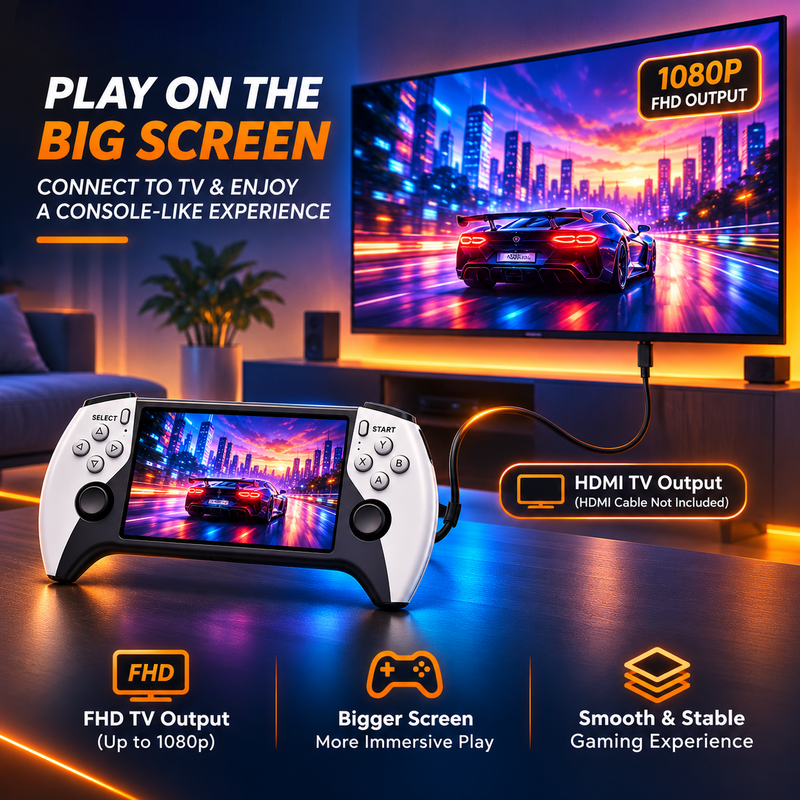
Play on the 5-inch screen, set it on a desk, or connect it to a TV through the FHD output port.
Play with an external controller
Connect an external wireless controller and play without cables. A controller is not included.
- Wireless controller connection supported
- Built-in dual joysticks, D-pad and shoulder buttons for handheld play
- Button mapping lets you set the layout you want
Play on the big screen
Connect to your TV through the FHD output port and play your classics on a bigger display.
- Connect the console to your TVUse the FHD output port. TV cable sold separately.
- Choose the TV inputSelect the matching input on your TV.
- Start playingPick a system and a game from the menu.
- Choosing a selection results in a full page refresh.
- Opens in a new window.